
432 Hz Music Converter (440 Hz → 432 Hz) with Batch Mode
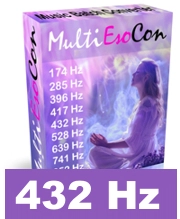
MultiEsoCon: 432 Hz music converter for converting many audio files in one run (batch mode)
A 432 Hz music converter retunes audio from the common 440 Hz reference (A=440) to 432 Hz (A=432). Many listeners compare 440 Hz and 432 Hz to hear subtle differences in feel and timbre. Musicians and producers also use alternate tunings to create additional versions of tracks and to keep large libraries consistent.
432 Hz converter: Functions and highlights
- Simple operation: Intuitive use without complicated training.
- Ready for immediate use: No training required - just get started.
- Batch conversion: Convert multiple audio files in one run (folders supported).
- Regular updates: Free updates included.
- User-friendly program interface: Clear and intuitive navigation.
- Comprehensive instructions: Introductory videos and step-by-step guides available.
- Windows-compatible: Supports Windows operating systems.
 432 Hz music converter
What a 432 Hz Music Converter Does
Most modern recordings are referenced to A=440 Hz. Converting to A=432 Hz means shifting pitch by a fixed ratio (432/440 ≈ 0.9818). A high-quality converter applies controlled pitch shifting to minimize artifacts and preserve a natural result. This makes it practical to create alternate tuning versions without having to search for separate 432 Hz releases.
The converter can also help with library workflows: batch-processing folders, exporting common audio formats, and keeping output organized for easy comparison between versions.
Solfeggio Frequencies
Solfeggio frequencies are commonly referenced online as a set of target frequencies used in playlists and practice material. Descriptions and interpretations vary by source. In audio converters, they are typically offered as presets so users can retune tracks to specific target values.
Common Solfeggio Targets
- 174 Hz
- 285 Hz
- 396 Hz
- 417 Hz
- 432 Hz
- 528 Hz
- 639 Hz
- 741 Hz
- 852 Hz
- 963 Hz
Brief Overview: 432 Hz Music Converter
A 432 Hz music converter is a tool that changes the tuning reference of music from A=440 to A=432. Many users create alternate versions of tracks for personal listening, comparison, practice, or production workflows. Whether a tuning is "better" is subjective—this tool simply enables you to generate a consistent 432 Hz version of your audio files.
 432 Hz music
How the 432 Hz Music Converter Works
The converter analyzes the audio and applies pitch shifting so the entire track is retuned to the selected target frequency. The shift uses the ratio 432/440 (about 0.9818) so the tuning change is proportional across notes. Good processing aims to keep the sound clean and avoid unwanted distortion.
Depending on the workflow, you can export the retuned track in common formats (for example MP3, WAV, or FLAC). Batch mode helps you retune albums and complete folders efficiently.
The Technology of the 432 Hz Music Converter
| Functional principle | Standard reference | Target reference | Technology | Typical use |
|---|---|---|---|---|
| Retune pitch reference | 440 Hz (A=440) | 432 Hz (A=432) | Digital pitch shifting (DSP) | Alternate tuning versions |
| Batch processing | Multiple files | Consistent target | Folder workflow | Large music libraries |
| Export formats | Source audio | New audio file | Encoding / saving | Playback on devices |
Instructions for Using the 432 Hz Music Converter
To use the music converter, click on "432 Hz Music Converter".
After starting, select the files or folders you want to convert (batch mode can include subfolders). Choose the output format (for example MP3, WAV, or FLAC) and start conversion. When finished, open the output folder and review the converted files. If needed, adjust settings and convert again for your preferred result.
Who Uses a 432 Hz Music Converter
432 Hz converters are used by listeners, musicians, and producers who want alternate tuning versions of tracks or a consistent tuning across a library.
- Listeners who want a 432 Hz version of their favorite songs.
- Musicians who compare A=440 and A=432 for practice or reference.
- Producers who create alternate masters or test different tuning references.
- Educators who demonstrate tuning differences with real examples.


