
MultiEsoCon as a 528 Hz Music Converter (Batch Mode)
Convert audio to a 528 Hz target with consistent settings. MultiEsoCon supports batch processing, so you can convert multiple tracks or complete folders in one run and export clean results for your music library.
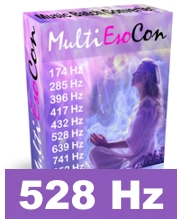
528 Hz music converter with batch mode for common target frequencies.
The 528 Hz music converter MultiEsoCon is designed to retune audio from the standard reference (A=440) to a target frequency such as 528 Hz. It can process single tracks or batch-convert multiple files, making it useful for albums, playlists, and large music folders. The focus is on a straightforward workflow and reliable output quality.
528 Hz converter - Features
- Simple workflow with an intuitive interface
- No prior audio-editing experience required
- Batch conversion: process multiple files in one run
- Compatible with Windows versions
- Updates with improvements and new features
- Free support for questions and technical issues
- Video tutorials and step-by-step help available
- Clear layout for quick navigation
 528 Hz music converter
What Is a 528 Hz Music Converter?
A 528 Hz music converter is a tool that changes the pitch reference of an audio file so it matches a selected target frequency. In practice, this is done by pitch shifting while keeping timing as natural as possible. Results depend on the source recording and the conversion method, so it is a good idea to compare the converted track with the original after export.
Convert Music to 528 Hz
Converting to 528 Hz is typically used to create an alternate version of a track for comparison or for a consistent library in a specific tuning reference. A batch workflow is especially helpful if you want to convert multiple files, folders, or complete albums with the same settings.
 528 Hz music
Educational Overview: Solfeggio Frequencies and 528 Hz
Solfeggio frequencies are commonly referenced as a set of target values used in playlists and presets. Descriptions vary by source; in converters they are typically offered as selectable targets for retuning audio.
| Target | Description | Typical use |
|---|---|---|
| Solfeggio frequencies | Common preset targets used in media | Alternate versions, comparison, playlists |
| 528 Hz | One frequently used target value | Alternate tuning reference for exported tracks |
| Music converter | Pitch/frequency conversion tool | Audio processing and export |
| Output formats | MP3/WAV/FLAC and others (depending on settings) | Playback and library management |
| Batch processing | Convert multiple files in one job | Albums, folders, large libraries |
How the 528 Hz Music Converter Works
A converter typically applies pitch shifting based on a defined target. To avoid unwanted artifacts, the software uses signal processing methods that aim to keep audio quality stable during conversion. After conversion, files are exported for playback, archiving, or further editing.
Instructions for Using the 528 Hz Music Converter
- Start the converter and add one or more music files (or select a folder if available).
- Select the target frequency (e.g., 528 Hz) and choose your output format.
- Run the conversion. In batch mode, all selected files are processed sequentially with consistent settings.
- Check the exported files and keep the version that best matches your preference for sound and workflow.
Who Uses a 528 Hz Music Converter?
Converters are used by listeners and creators who want alternate versions of tracks at a defined target frequency. Producers may also use converted references for comparison or as a starting point before further mixing or arrangement work.


